










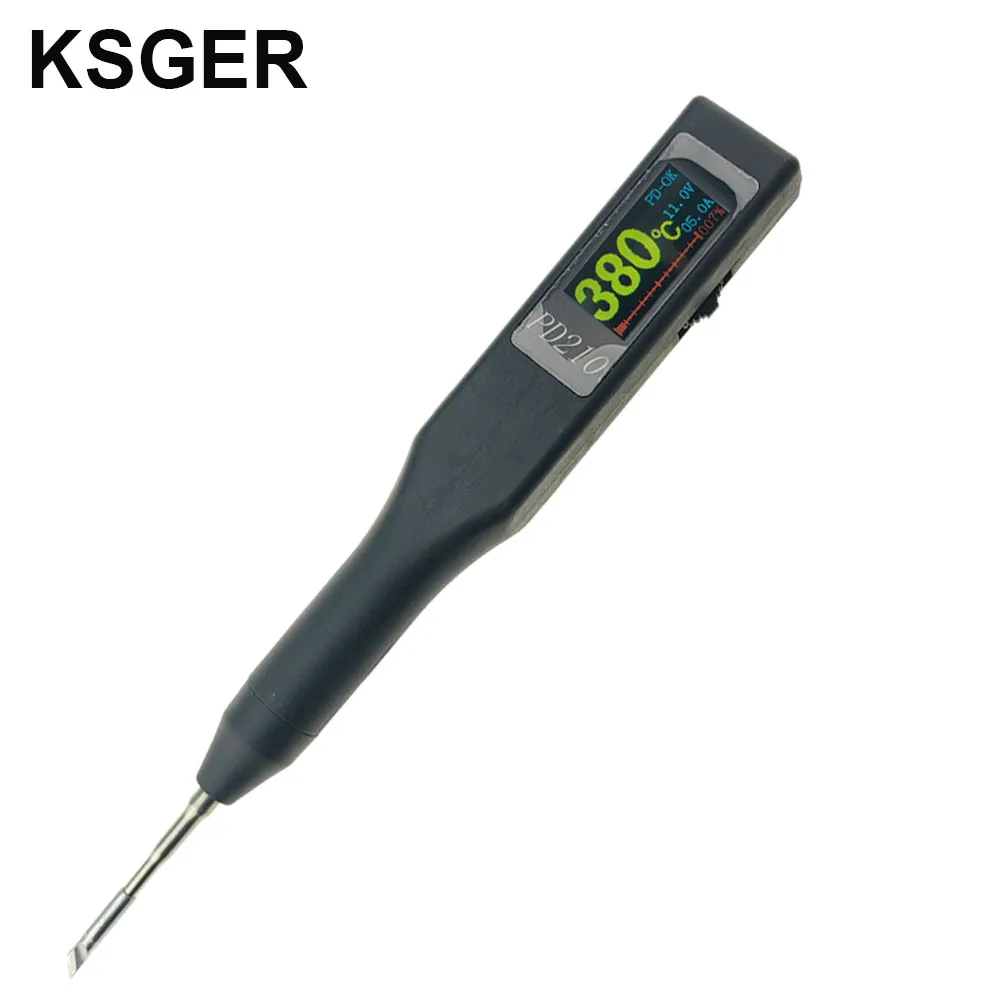
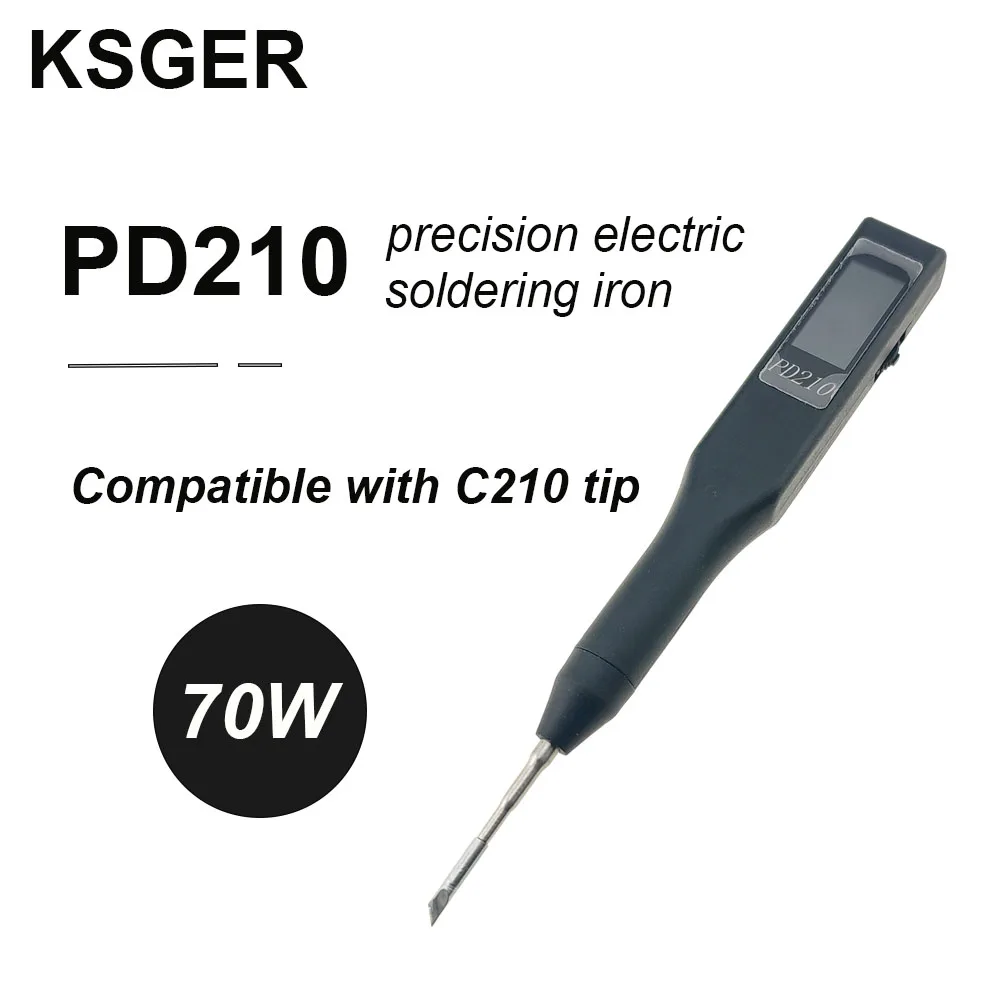
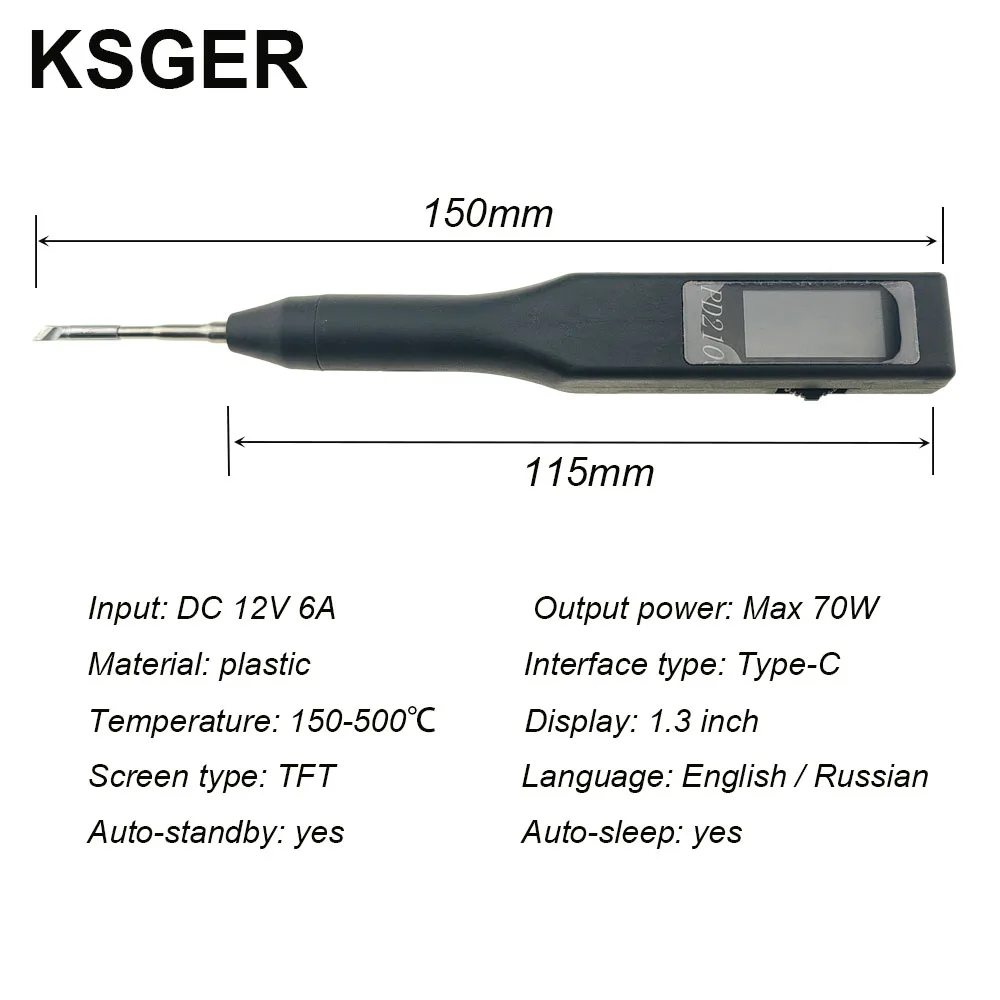

KSGER C210 Portable Soldering Station PD210 For JBC Iron Tips USB Welding 1.3 Inch TFT DIY Electric Tools Auto-Sleep 70W
6 in stock
$29 $32
- High-concerned chemical: None
- Origin: Mainland China
- Model Number: PD210
- is_customized: Yes
- Brand Name: KSGER
KSGER C210 Portable Soldering Station For JBC Iron Tips TFT Controller DIY 1.3 Inch Electric Tools Auto-Sleep 70W Tins Melting
Note:
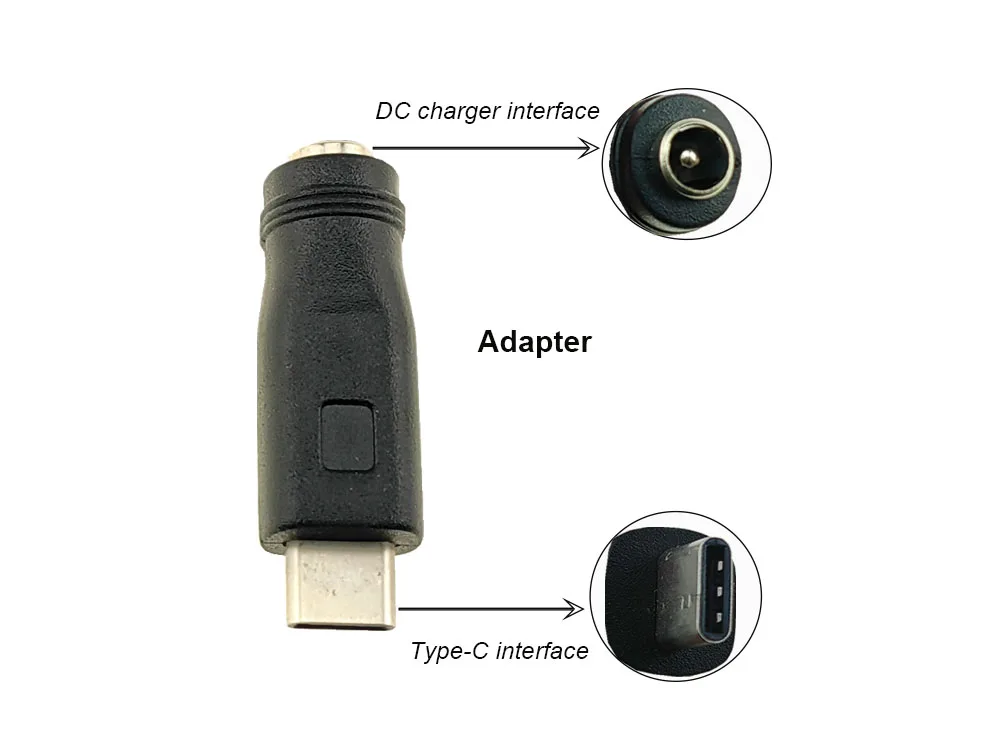
Set include: 1x Soldering station+1x C210-I+1x Adapter
Package not include transmission wire and power plug.

1. Introduction
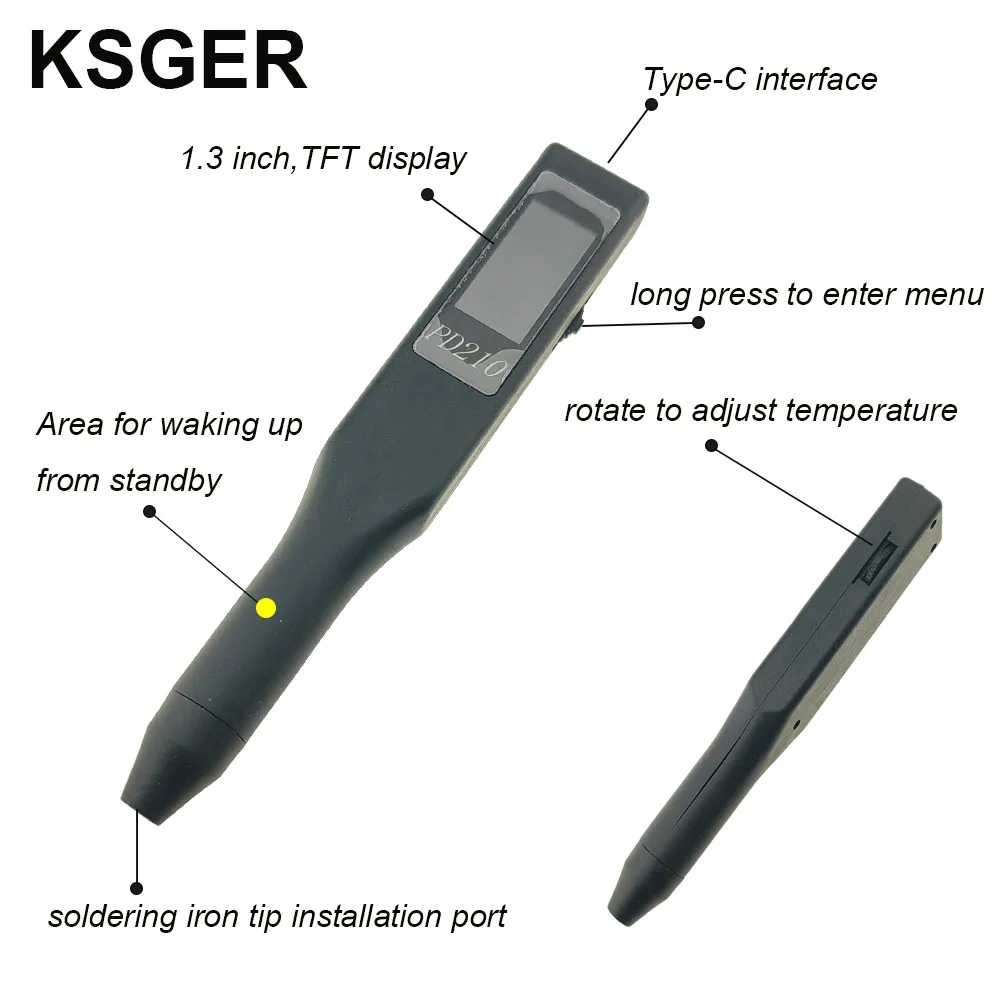
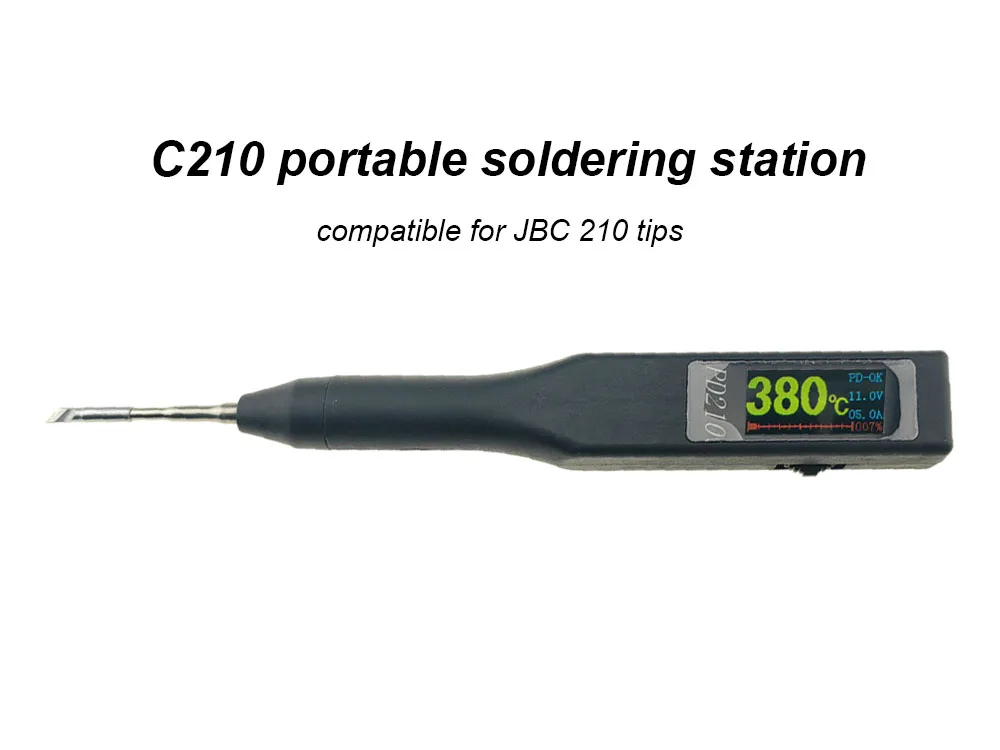
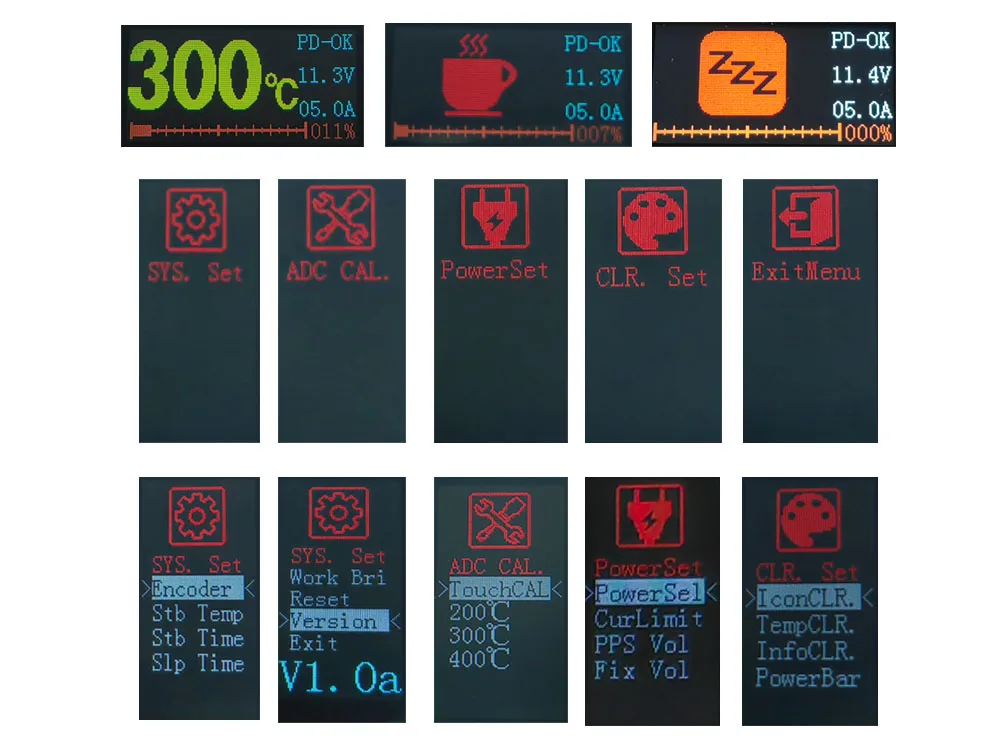
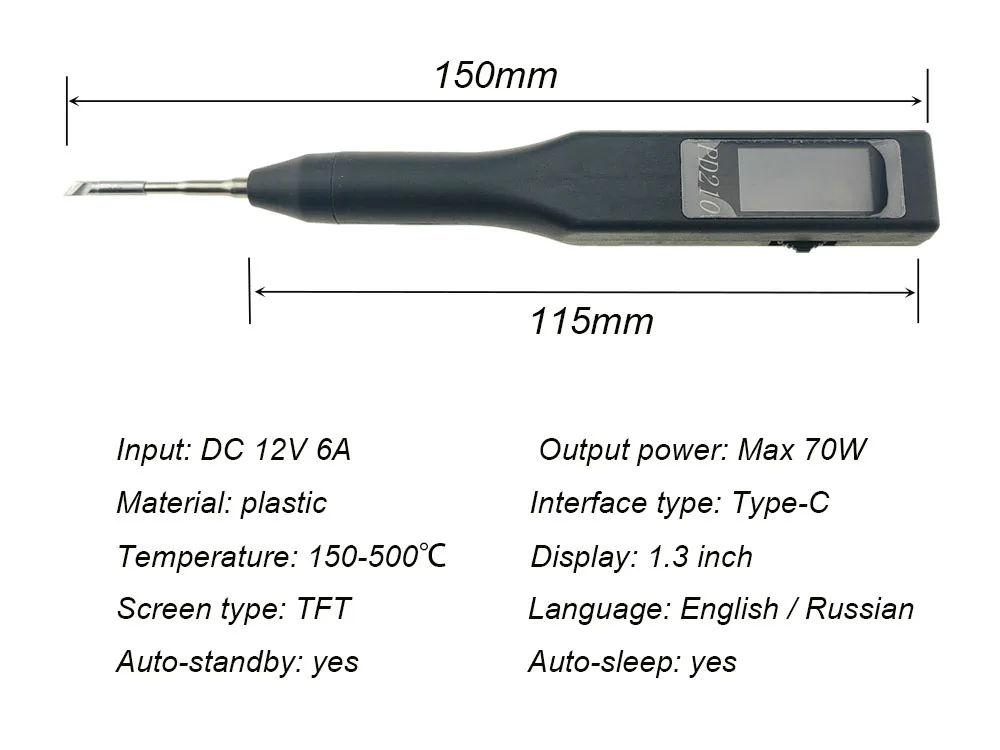
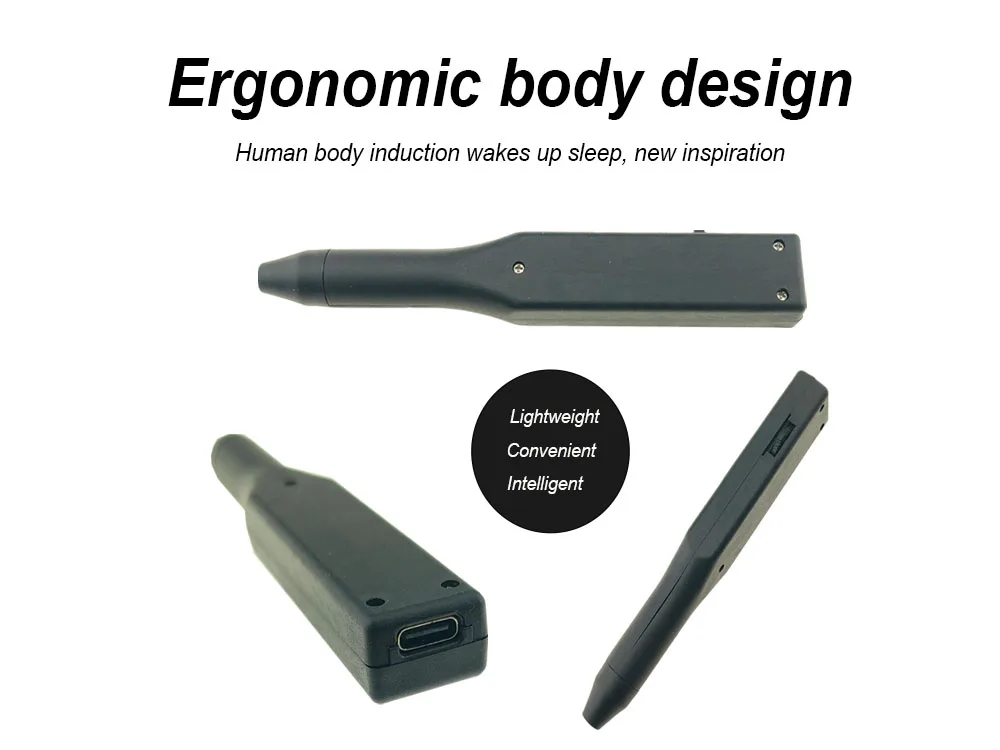
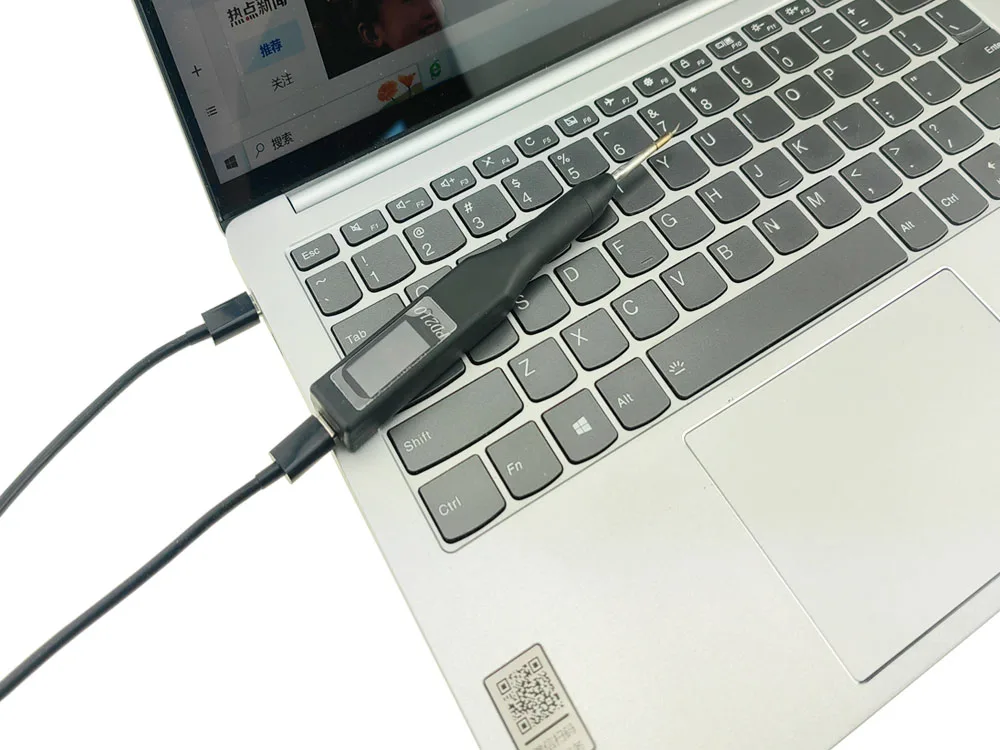
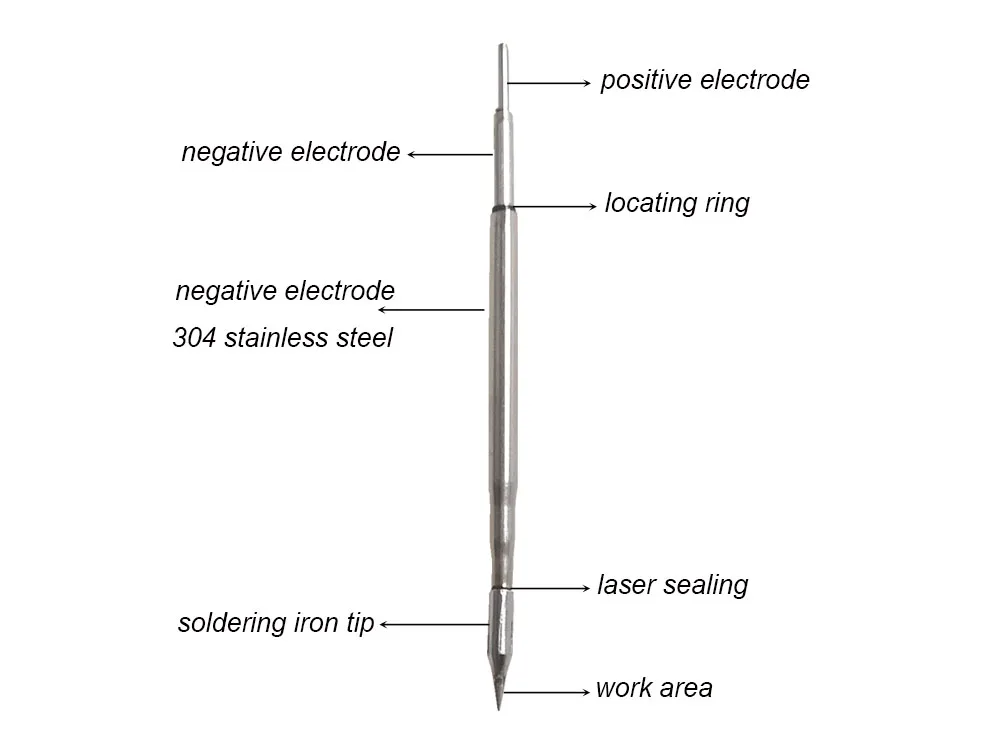
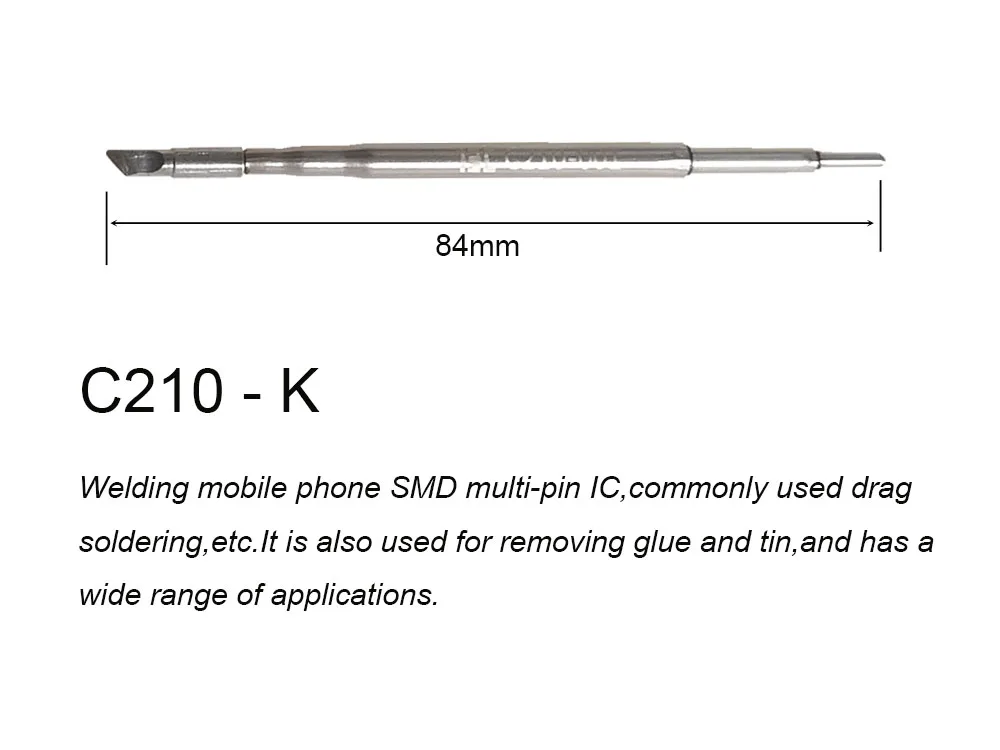
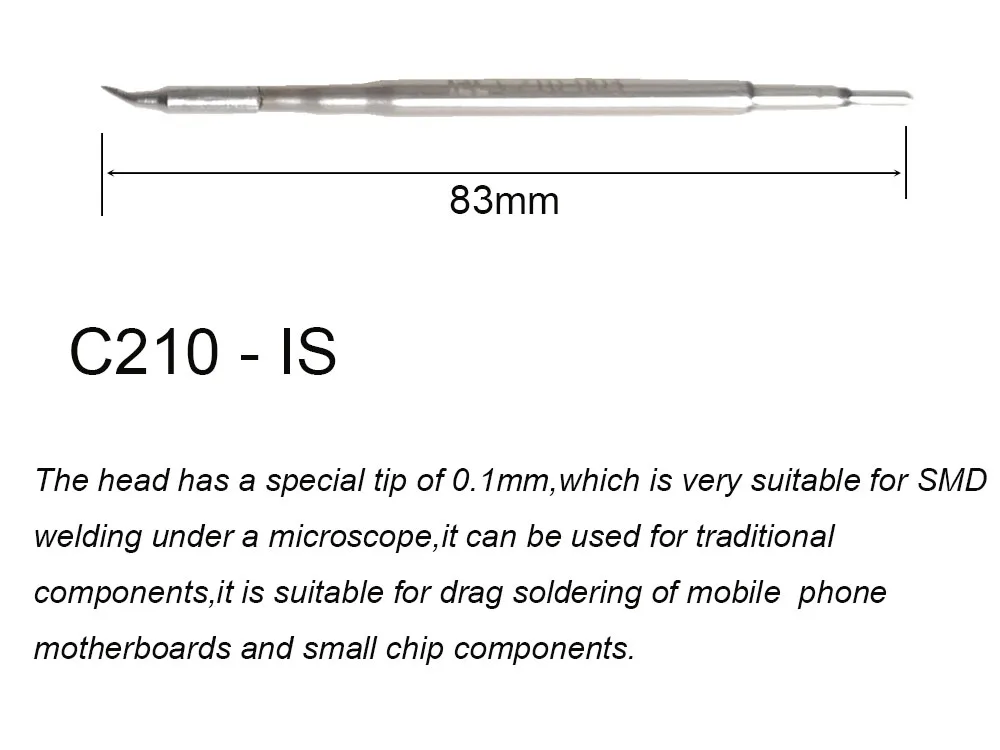
The appearance of the PD210 portable soldering pen is inspired by the electric pen. It uses a color 0.96-inch TFT screen, dial switch setting options, power supply via the TYPE-C interface, and is compatible with the JBC210 heating core. It supports PD, PPS fast charging protocol decoy, and human induction sleep.
2. Power supply description
2.1 Overview
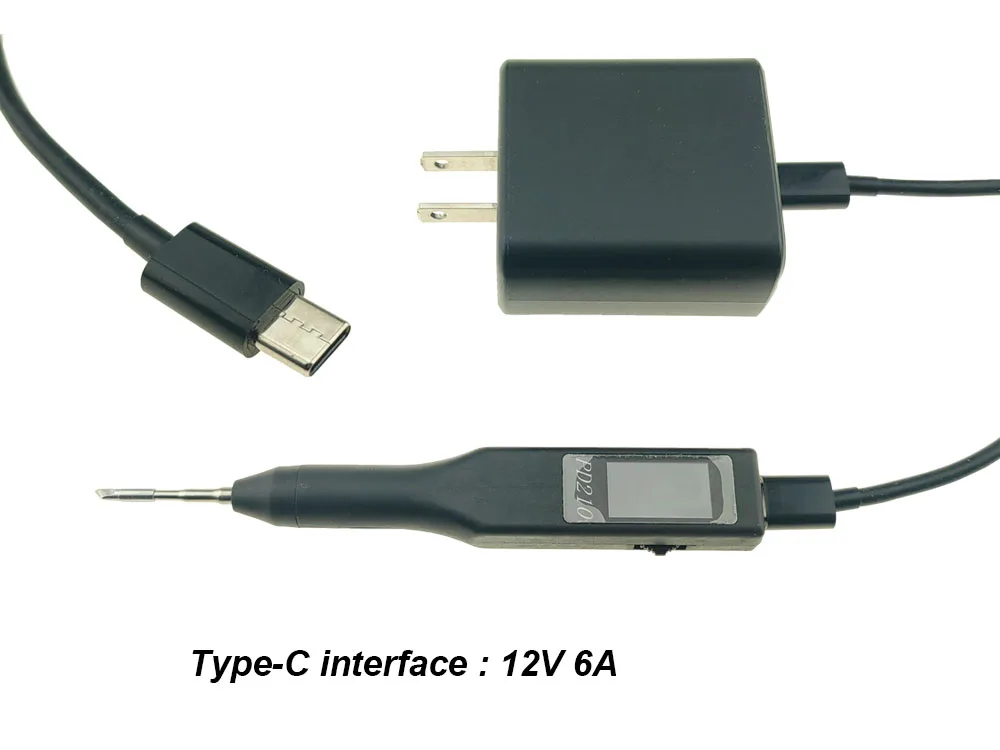
The soldering pen supports PD and PPS protocol spoofing. Although a lot of work has been done on protocol compatibility, it cannot be guaranteed that it can perfectly adapt to all PD fast charging on the market. There may be some chargers that do not support spoofing, or need to be restarted to work properly. The resistance of the 210 heating core is usually 2 Ω. The principle of selecting the fast charging gear is that the voltage does not exceed 12V, and the greater the current, the better. When the fast charging current capacity is insufficient, the charger with constant current capacity will enter the constant current mode at the heating stage, and the heating effect will become worse; The charger without constant current may protect burping. It can only be used if the current limit switch of the soldering pen is turned on to limit the current, and the heating effect will also deteriorate. The soldering pen also supports the use of DC power supply or battery power supply as a supplement when the PD fast charge is unavailable. When using DC power supply, the voltage should be greater than 8V, otherwise the welding pen will automatically prohibit heating. It is recommended to select 12V6A power supply. Other specifications should be selected in combination with the resistance value of heating core. Domestic heating core should not be used under overpressure. When power supply or battery power supply, please ensure that the power supply terminal has overcurrent protection function and the protection value is appropriate.
2.2 Popularization of science and purchase considerations of PD fast charging knowledge:
(1) The charger must support PD protocol. The charger output must be TYPE-C port, and both ends of the line must be TYPE-C port (CC line). If you want to use more than 3A current, the CC line must have an emark chip. The soldering pen does not support QC protocol chargers, nor does it support various private protocols and modified PD protocols.
(2) The output voltage level of PD protocol is divided into two categories, one is adjustable voltage output (PPS), and the other is fixed voltage output (FIX). Generally, the gear with voltage range is PPS gear, such as 3-11V, 3-20V, etc., and only one voltage gear is FIX gear, such as 12V, 9V, etc.
(3) For those seeking the effect of temperature return, please select the PD fast charging that supports the current gear above 5A, such as the gear above 3-11V/5A of PPS and the gear above 12V/5A of FIX. For those who want to make do, you can select 3-11V/3A gear or 3-20V/3A gear of PPS, or 12V/9V, 3A/2A gear of FIX.
(4) Generally, the PPS gear has constant current function, and the FIX gear of the charger with PPS gear may also support constant current function, but the charger with only FIX gear basically has no constant current function. Therefore, it is recommended to select the charger with PPS gear when purchasing. When the current is too large, the charger will automatically reduce the output voltage, which can maintain the maximum output power and obtain the best heating effect; If the charger with only FIX gear is selected, when the output voltage of the charger is constant, it is easy to burp and restart when the output current is insufficient. At this time, it is necessary to turn on the current limit switch in the menu, and the soldering pen will automatically limit the output current of the power supply according to the size of the induced current to avoid burping of the power supply. Although the soldering pen has the current limit function, burping cannot be avoided for some chargers.
2.3 Precautions for fast charging test:
It takes two steps to test the unknown charger. The first step is to test the decoy function without load, and the screen displays "PD-OK" to indicate that the decoy is successful. The second step is to test the current output capacity of the charger by connecting the hot core with load. Both of the above two tests may encounter repeated restart of the power supply. Please refer to the instructions in Section 5.1 of this manual for troubleshooting.
3. Operating instructions
3.1 Operating instructions of the paddle switch
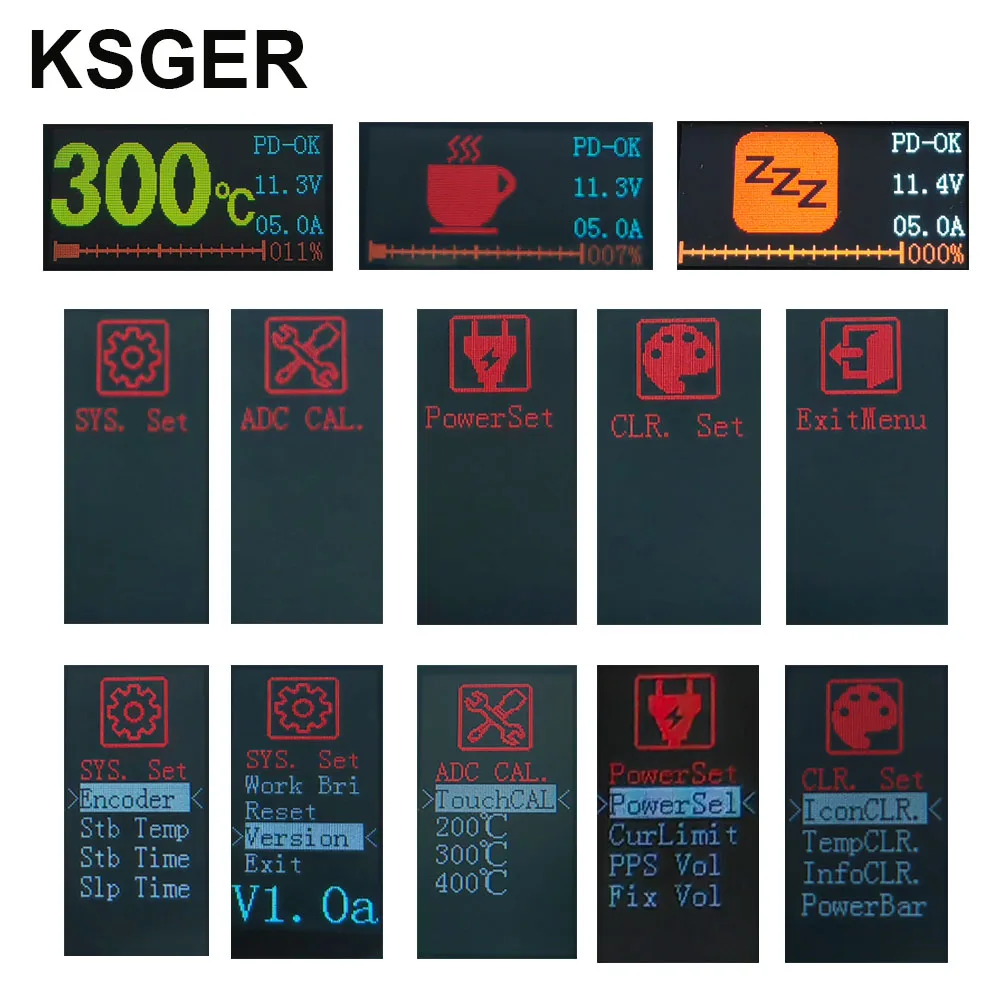
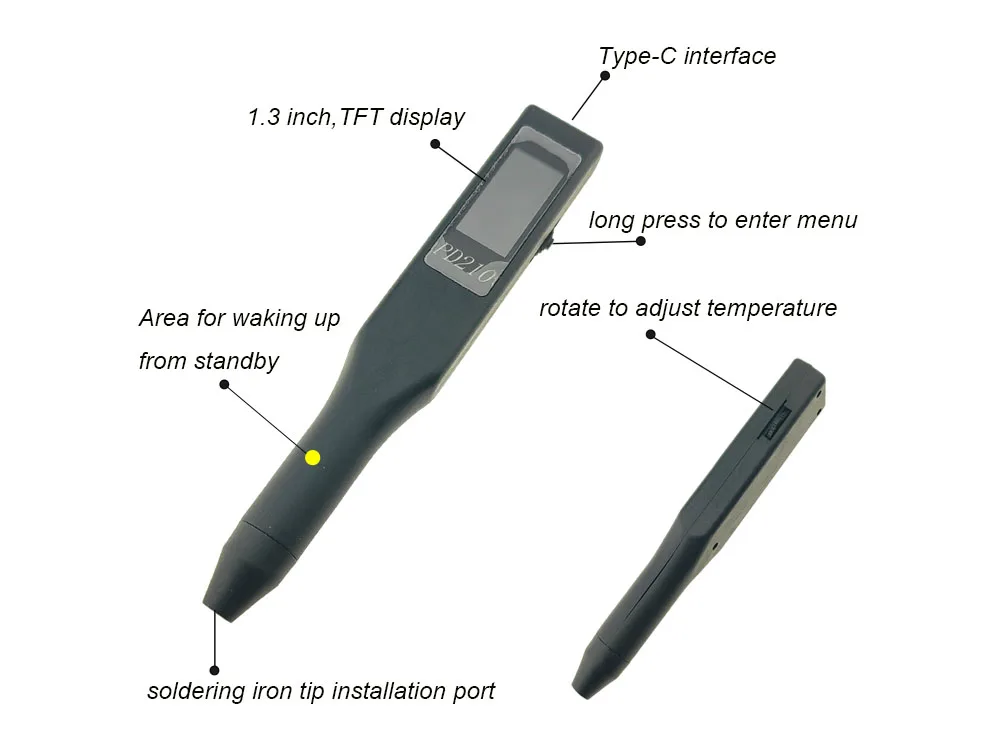
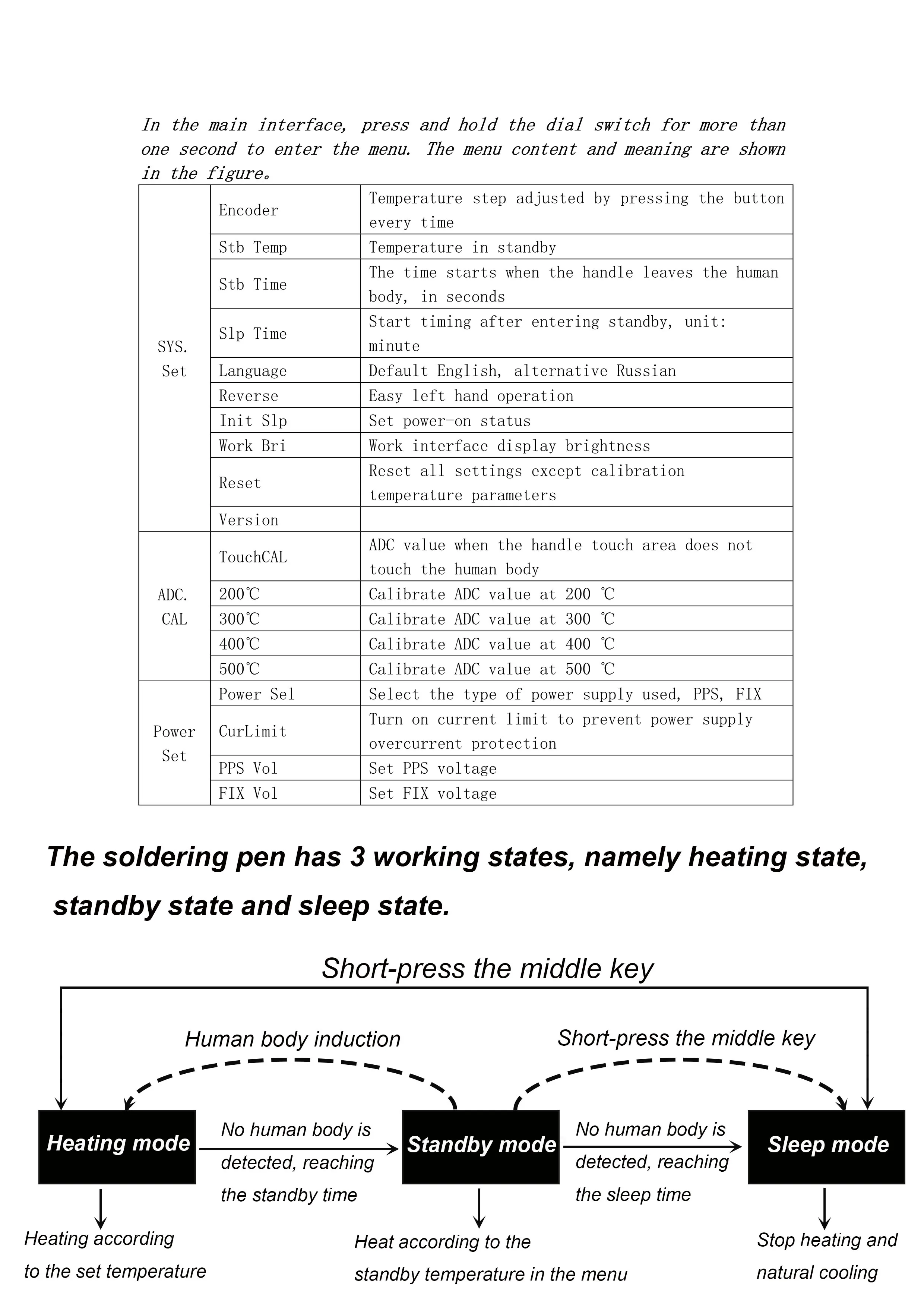
On the main interface of the dial switch, adjust the temperature from left to right, briefly press one key to sleep or one key to wake up, and long press to enter the menu; Adjust the left and right options in the menu, and press briefly to enter the next level. The menu setting takes effect on the spot. Exit the menu and save it. If the power is cut off without exiting the menu, the setting will not be saved.
3.2 Description of working state of welding pen
The soldering pen has three working states, namely heating state, standby state and sleep state. Between states
The working temperature and switching logic of are as follows:
4.1 Heating setting
Temperature step: set the temperature and adjust the step amount of temperature setting in the menu;
Standby temperature: the working temperature of the soldering pen in standby mode;
Default temperature: the default setting temperature when the soldering pen is turned on. If this option is adjusted to 0, it will be automatically saved
Temperature at the time of the second shutdown.
4.2 Parameter calibration
Touch calibration: select the "touch calibration" option to see the displayed ADC value, leave the human body sensing area with your hand, and use other non-metallic objects to move the paddle switch to the left or right. After the new ADC value is displayed on the screen, you can briefly press to confirm to complete the calibration.
Calibration of each temperature point: take the calibration of 300 ℃ as an example in multi-point calibration. After entering the "300 ℃" page, the soldering iron will be heated at 300 ℃ and observed with a thermometer. The calibration method is consistent with the operation amplifier calibration. Multi-point calibration does not need to calibrate all temperature points, but only the frequently used temperature. If the temperature still has deviation after the first calibration, the second calibration shall be carried out.
4.3 System settings
Standby time: the soldering pen will be in standby mode when the heating state does not sense the human body, in seconds;
Sleep time: start counting after the soldering pen is in standby state, and then enter the sleep state, unit: minute;
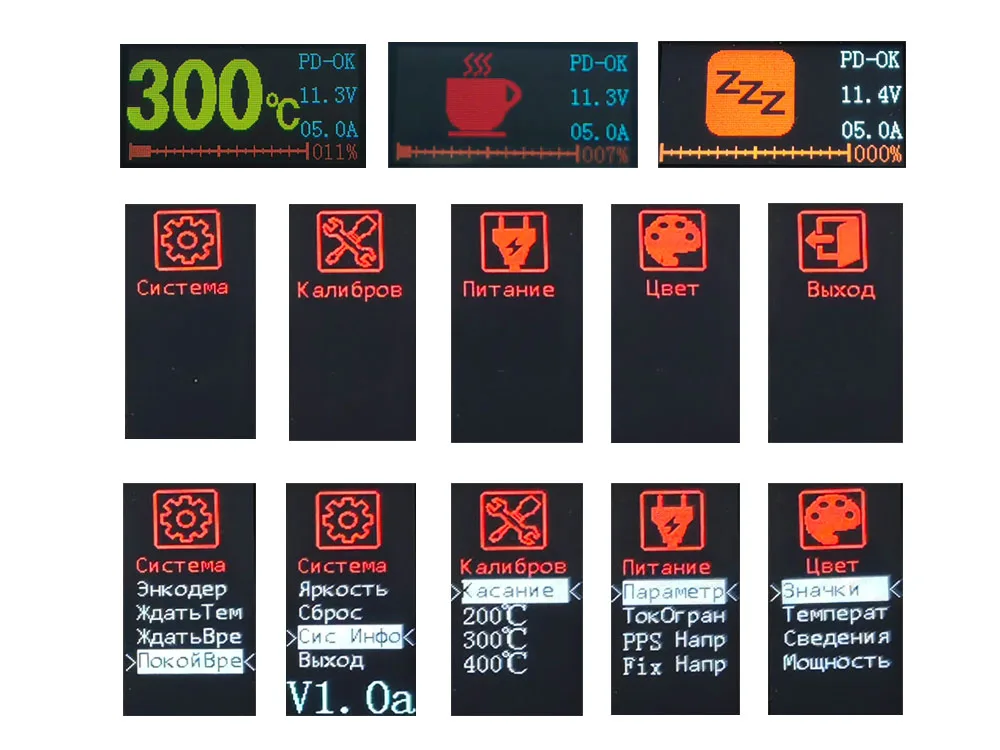
Language setting: select Russian Chinese or English display;
Display direction: can be positive or negative. The display direction of the main interface is prepared for left-handed people;
Power on and sleep: if it is set to Yes, the power on is in sleep state. When heating is needed, the dial switch needs to be activated to wake up;
If it is set to No, it will directly enter the heating state when powered on.
Working brightness: display brightness of soldering pen in heating or standby state;
Sleep brightness: the display brightness of the soldering pen in the sleep state;
Restore factory: reset other parameters except operational amplifier calibration to the default value and take effect after exiting the menu;
Version information: welding pen software version information.
4.4 Power supply setting
Power supply option: select the default power supply, including PPS/FIX/DC. The logic of selecting power supply for this machine is as follows: when the power supply option is "PPS", the PPS gear is preferred; when there is no suitable PPS gear, the FIX gear is selected; When the power option is "FIX", only the FIX gear is requested; When the power option is "DC", there is no deception. When requested
When the PPS gear is set, request the PPS voltage and the maximum current output of the gear according to the "PPS voltage" set in the menu. When the PPS gear of the charger does not contain the voltage, request the FIX gear; When a FIX gear is requested, search down the gear closest to the voltage according to the "FIX voltage" set in the menu, and request the maximum current output of the gear; In the DC power supply mode, heating is allowed when the external DC power supply exceeds 8V, otherwise heating is not allowed. Current limit: This function is set to enable some chargers with low current and only FIX gear to make up for heating. When the soldering pen is started and restarted frequently, the problem of insufficient power supply current capacity of the charger should be considered. When this option is turned on, the soldering pen will automatically calculate the upper limit power of heating based on the induced current and the resistance value of the heating core. This function only takes effect when coaxing out the FIX gear. PPS voltage, FIX voltage: please refer to the description of power supply options to set according to your charger gear. The general default value can meet most use scenarios. Do not blindly pursue higher voltage, otherwise it may backfire. If a charger contains two PPS gears, 3-11V/5A and 3-20V/3A, if the PPS voltage is arbitrarily adjusted to 12, the soldering pen will ignore 5A gear and select 3A output, and the heating effect will be worse.
4.5 Interface color
Refer to the instructions in the menu structure diagram to set it by yourself.
5. FAQs
5.1 The soldering pen is powered on and restarted frequently
There are many reasons for frequent restart of the soldering pen when it is powered on, which need to be judged and eliminated according to the situation.
(1) When the heater is not inserted, the screen does not enter the power-on interface at all, but the screen backlight flashes or the black screen does not respond. This kind of problem is generally caused by the poor matching of the RP/RD resistance at the power supply end and the receiving end. At this time, the charger 5V output is abnormal, the single-chip computer cannot work normally, and it is restarted without entering the PD communication link. You can replace the two 5.1K resistors closest to Block C with 3.3K resistors and try again.
(2) Power on without inserting the heating core, and the screen will restart after the power-on interface is displayed. This kind of problem is usually caused by restart due to poor protocol compatibility. Although some fast chargers have PPS function, the protocol can not cooperate well due to various reasons. In this case, you can connect the soldering pen to the ordinary TYPE-A to TYPE-C line, adjust the "power option" to "FIX" in the menu, and open the "current limit" switch and try again. The program has a relatively lower failure rate for fixed voltage deception.
(3) The power on is normal when the heating core is not inserted and "PD-OK" is displayed. After the heating core is inserted, the power on is restarted after the power-on screen. This kind of problem is generally caused by the restart of the typical charger overcurrent protection. Some chargers may not have constant current function in some gears, or the internal resistance of the heater core is too low to exceed the power supply capacity of the charger, and will also restart frequently (burp). If the selected PPS gear encounters frequent restarts, you can lower the "PPS voltage" in the menu and try again. If the selected FIX gear encounters frequent restarts, you can lower the "FIX voltage" in the menu or open the "current limit" switch and try again.
5.2 The soldering pen cannot sleep or cannot wake up after sleep
The handheld area at the front of the soldering iron is the human body sensing area. This area is in contact with the thumb and forefinger of the hand during normal holding. In case of abnormal induction, such as unable to sleep all the time or unable to wake up after sleep, touch calibration shall be carried out. Please refer to the relevant instructions of touch calibration in Section 4.2 of this manual to recalibrate the touch parameters.
5.3 Can Huawei, Xiaomi, OPPO, and VIVO chargers be used?
In principle, the solder pen does not support private protocols and magic modified PD protocols, and neither public version PD protocol can be used. However, some chargers of the above brands, although not equipped with the public version of the PPS protocol, have a fixed voltage range of the public version, so it is possible to make it work under current limiting or voltage reducing conditions, and you need to conduct your own testing.
Brand Story
KSGER is specialized in T12 DIY soldering tools including T12 tips,soldring station,hot air gun and so on.Affordable price and good quality is our brand promise.
























There are no reviews yet.